A clean dial, right to the edge.
Sixty fine ticks run out to the rim of the screen, the numerals are set in a light geometric sans, and the colour is in the hands. Limbus is a watch face for round AMOLED Garmin watches.

You install it with the Connect IQ app on your phone.
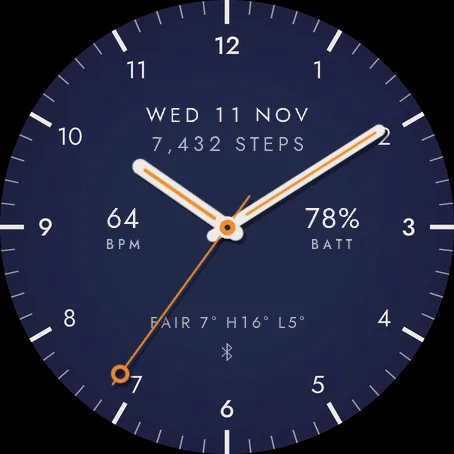
Ten colourways
Every dial comes with its own hands and seconds hand. Choose one to see it.
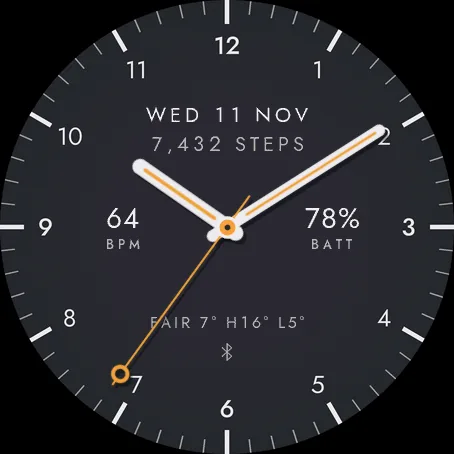
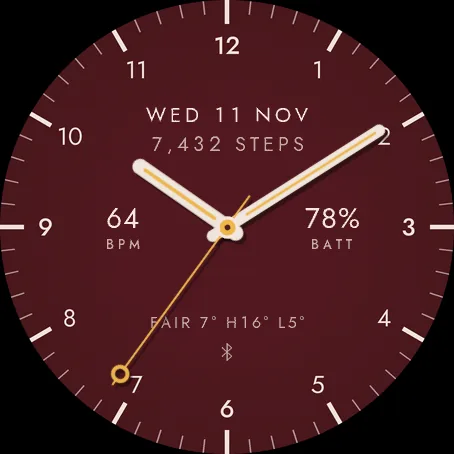
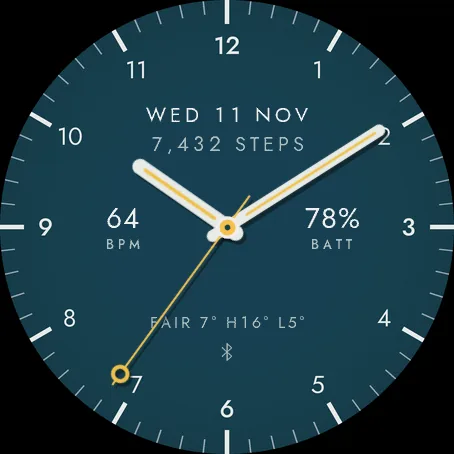
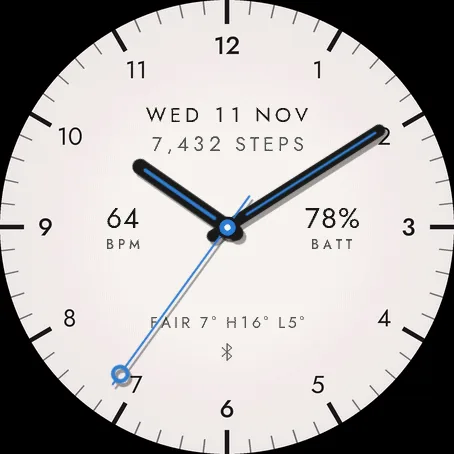
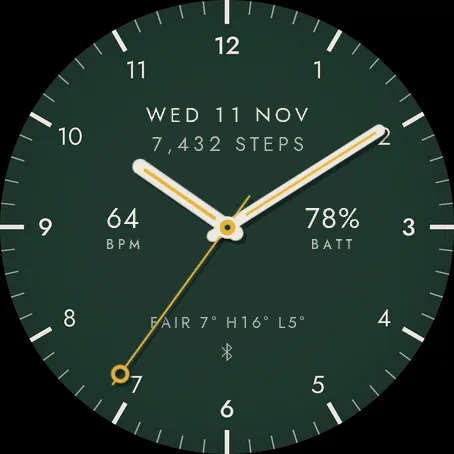
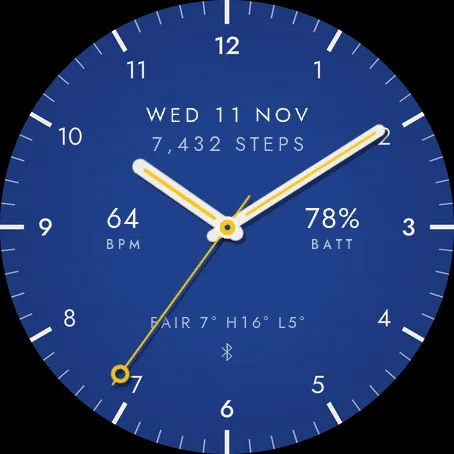
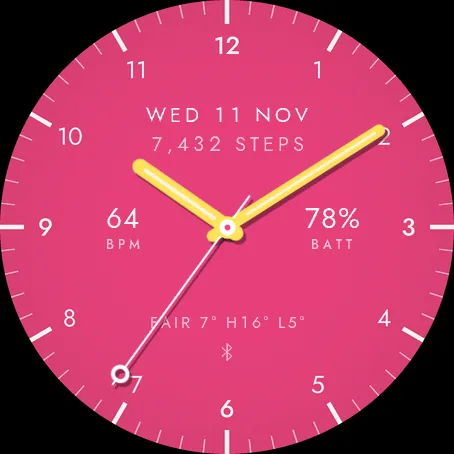
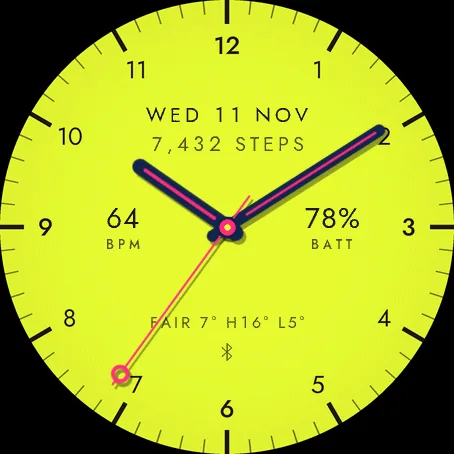
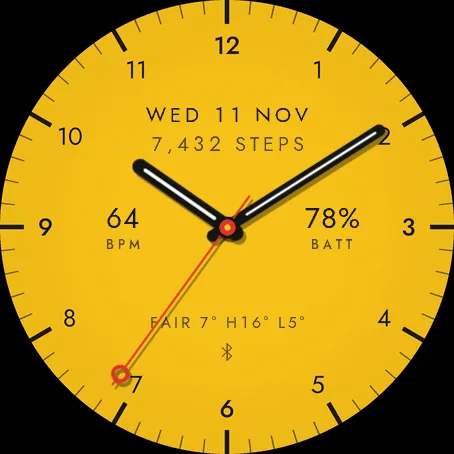
Eight dial textures
A soft relief behind the numerals and ticks, or a plain dial. Any texture goes with any colour; here each is shown on one. Textures switch off in always-on mode.
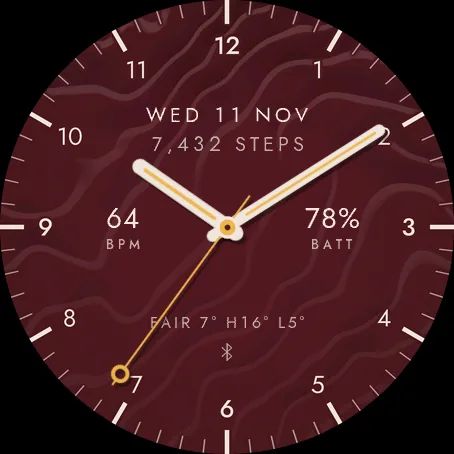
Folded strata
on oxblood and gold
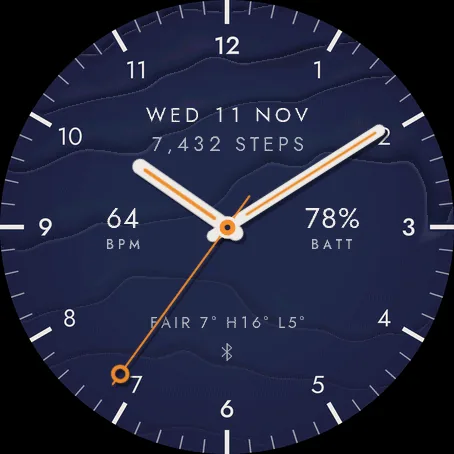
Stacked sheets
on navy and orange
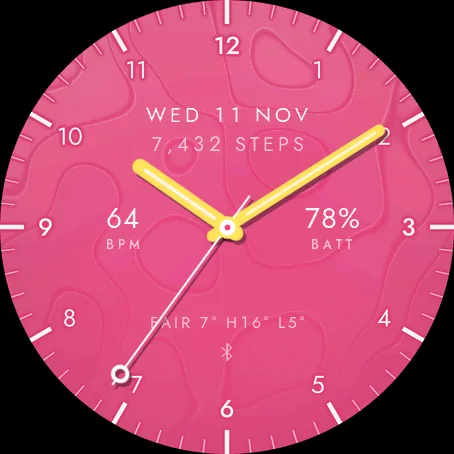
Cut paper
on hot pink and yellow
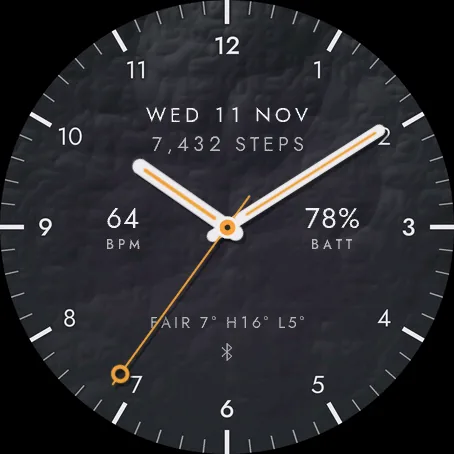
Rocky crags
on graphite and amber
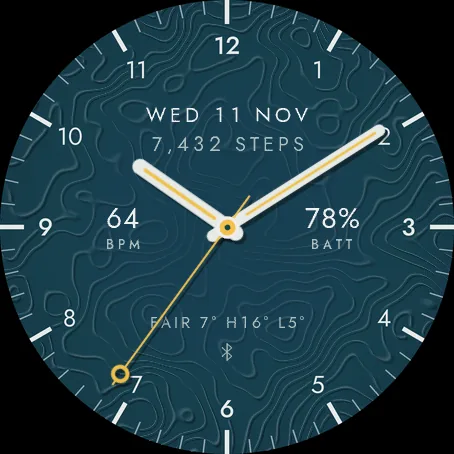
Dense contours
on petrol and saffron
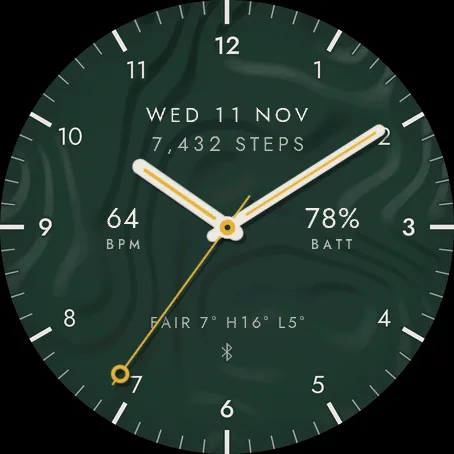
Soft terraces
on forest and mustard
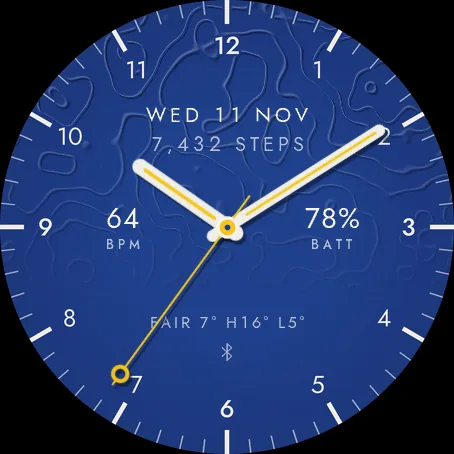
Contours
on cobalt and yellow
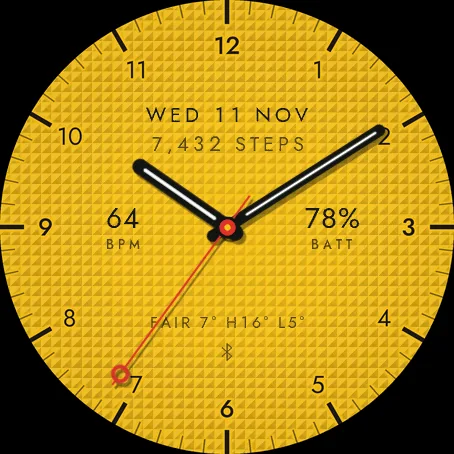
Clous de Paris
on sunshine and red
Five layouts, or your own
A layout fills every zone in one choice. Custom lets you set each one yourself.
Everyday
date, steps, heart rate, battery, and the weather with its high and low
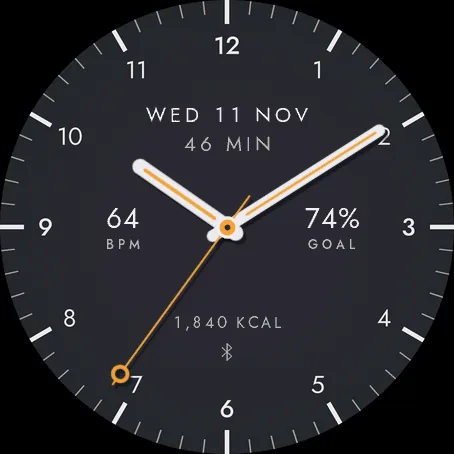
Fitness
date, active minutes, heart rate, step goal and calories
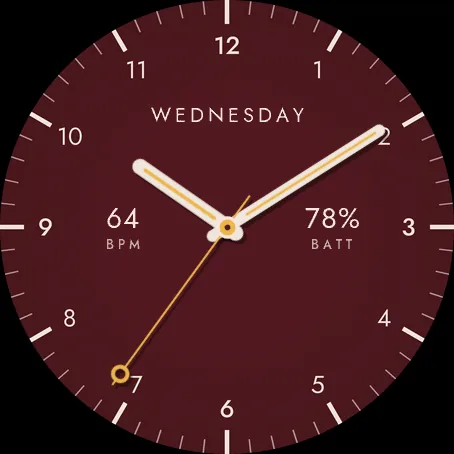
Minimal
weekday, heart rate and battery
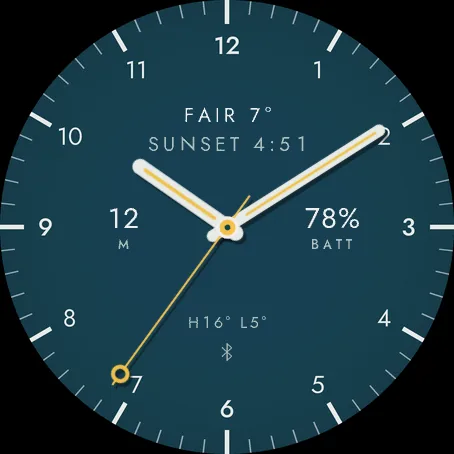
Outdoor
weather, sunrise or sunset, altitude, battery, and the high and low
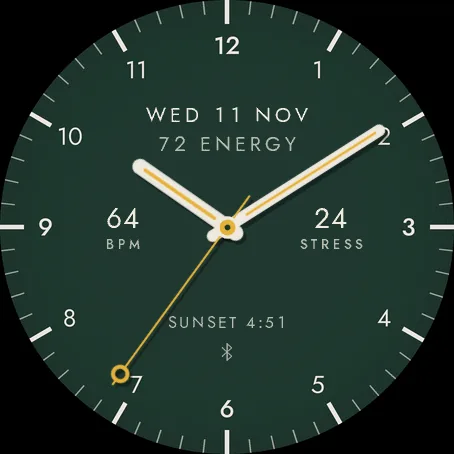
Wellness
date, Body Battery, heart rate, stress, and sunrise or sunset
What Custom lets you choose
Three lines
Under twelve and over six: the date, weekday, week number, the weather, its high and low, the next sunrise or sunset, or any reading.
Two slots
At nine and three: heart rate, battery, steps, step goal, Body Battery, stress, temperature, chance of rain, calories, distance, floors, active minutes, blood oxygen, respiration, VO2 max, recovery time, battery in days, altitude or notifications.
Status marks
Phone connected, a message waiting, an alarm set, do not disturb. Each shows only while it is true.
Hands and date
Capsule hands, plain or with a fine line inlaid, and four ways to write the date.
The readings on these dials are samples from the simulator.
Always-on, gentle on the screen
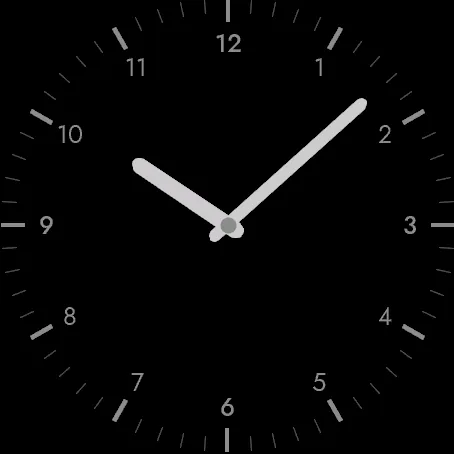
When the watch dims, the same dial stays lit in grey: the numerals, the hour ticks and the hands filled, the minute ticks as hairlines. The data and the seconds hand switch off, and the dial shifts a few pixels each minute to protect the AMOLED screen.
Install and set it up
- Open the Connect IQ app on your phone and find Limbus, or follow the link on this page.
- Install it. Your watch picks it up at its next sync.
- Change the colour, texture, hands, layout and zones in the Connect IQ app, or on the watch: touch and hold the face and choose Customize.
Temperatures, distance and altitude follow your watch’s unit settings.
A question, or something that does not look right? Write to us: support@waypostlabs.com
Which watches
Limbus runs on 35 round AMOLED Garmin watches:
- Approach S72 (43 and 47 mm)
- D2 Air X15, D2 Mach 1, D2 Mach 1 Pro, D2 Mach 2 and D2 Mach 2 Pro
- epix (Gen 2) and epix Pro (Gen 2), every size
- fēnix 8, fēnix 8 Pro and fēnix 8 MicroLED
- fēnix 9 and fēnix 9 Pro, every size, and fēnix E
- Forerunner 170, 170 Music, 265, 265S, 570, 965 and 970
- MARQ (Gen 2) and MARQ (Gen 3), every edition
- quatix 7 Sapphire, quatix 7 Pro, quatix 8 and quatix 8 Pro
- tactix 7 AMOLED Edition and tactix 8
- Venu 3, Venu 3S and Venu 4
- vívoactive 5 and vívoactive 6
The Connect IQ app shows whether your watch can install it.
Nothing leaves the watch
Limbus shows readings your watch already has. It has no permission to use the internet or your location, so it sends nothing to us or to anyone else.
Put Limbus on your wrist.
Install it from the Connect IQ store, and make it yours from your phone or the watch.
Garmin, the Garmin logo, Connect IQ, Body Battery, Approach, D2, epix, fēnix, Forerunner, MARQ, quatix, tactix, Venu and vívoactive are trademarks of Garmin Ltd. or its subsidiaries. The Connect IQ badge is used under Garmin’s brand guidelines. Limbus is made by Waypost Labs and is not made, sponsored or endorsed by Garmin. The dials on this page are captured from the Connect IQ simulator.